
Music for kids. On your terms.
basketweave is a kid-safe Apple Music player. You choose the playlists, and your child gets just those.
Read the parents’ guide →Get support
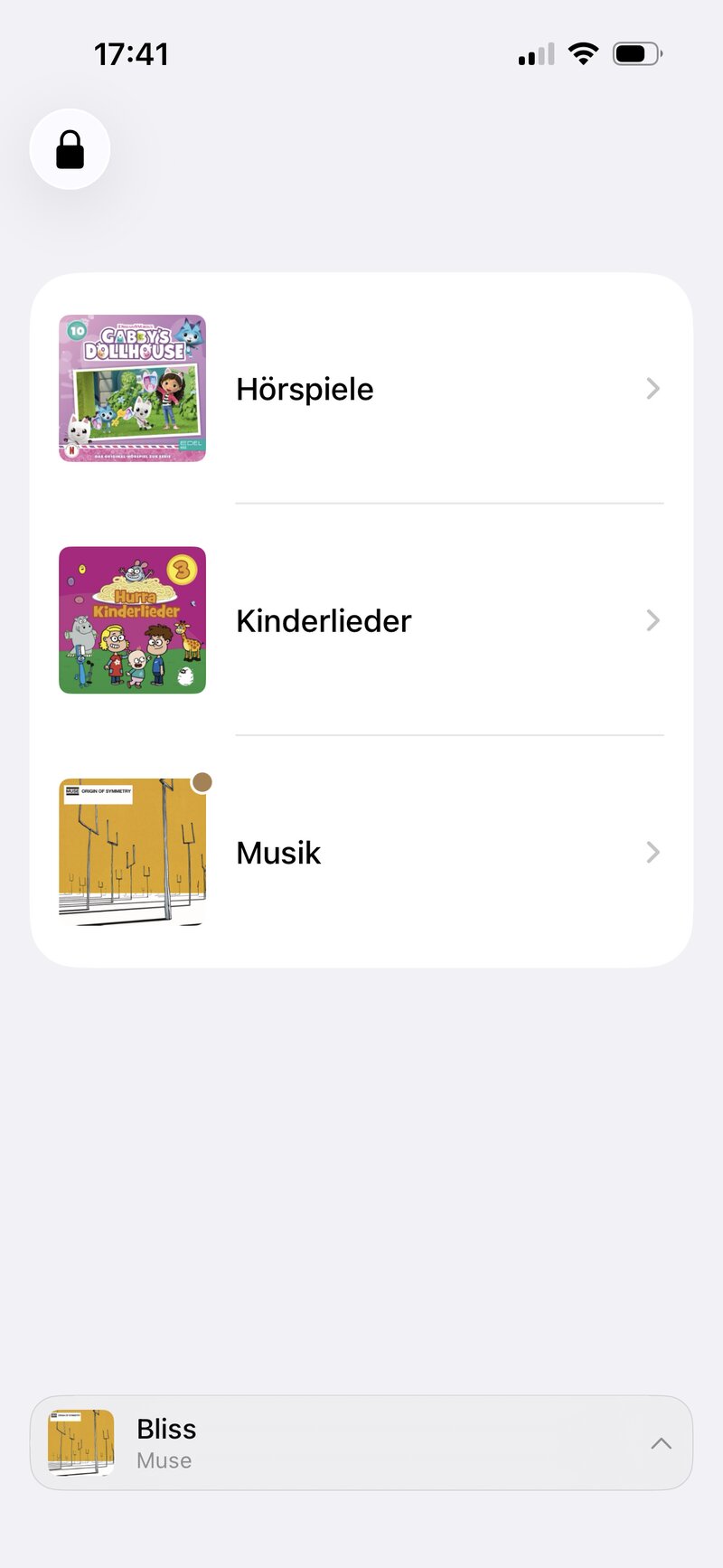
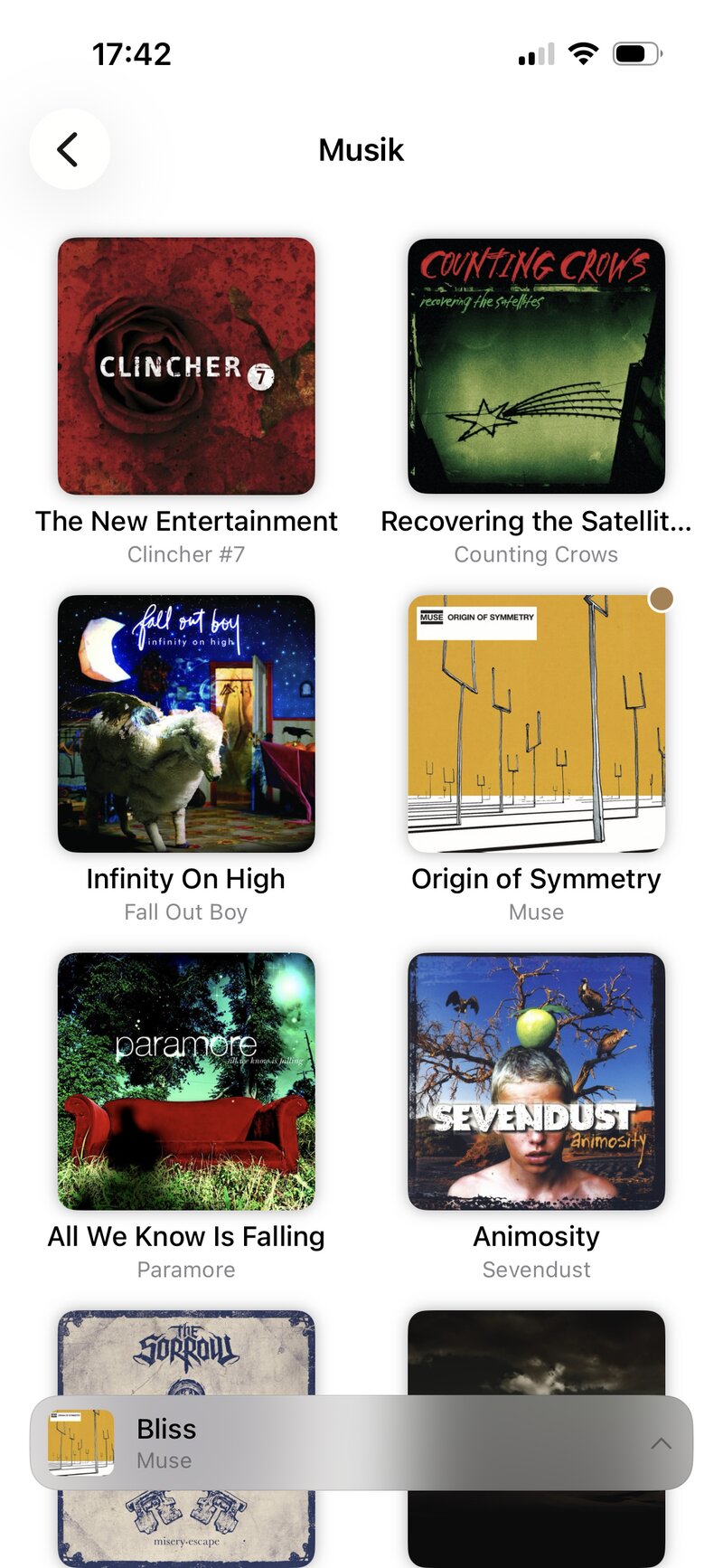
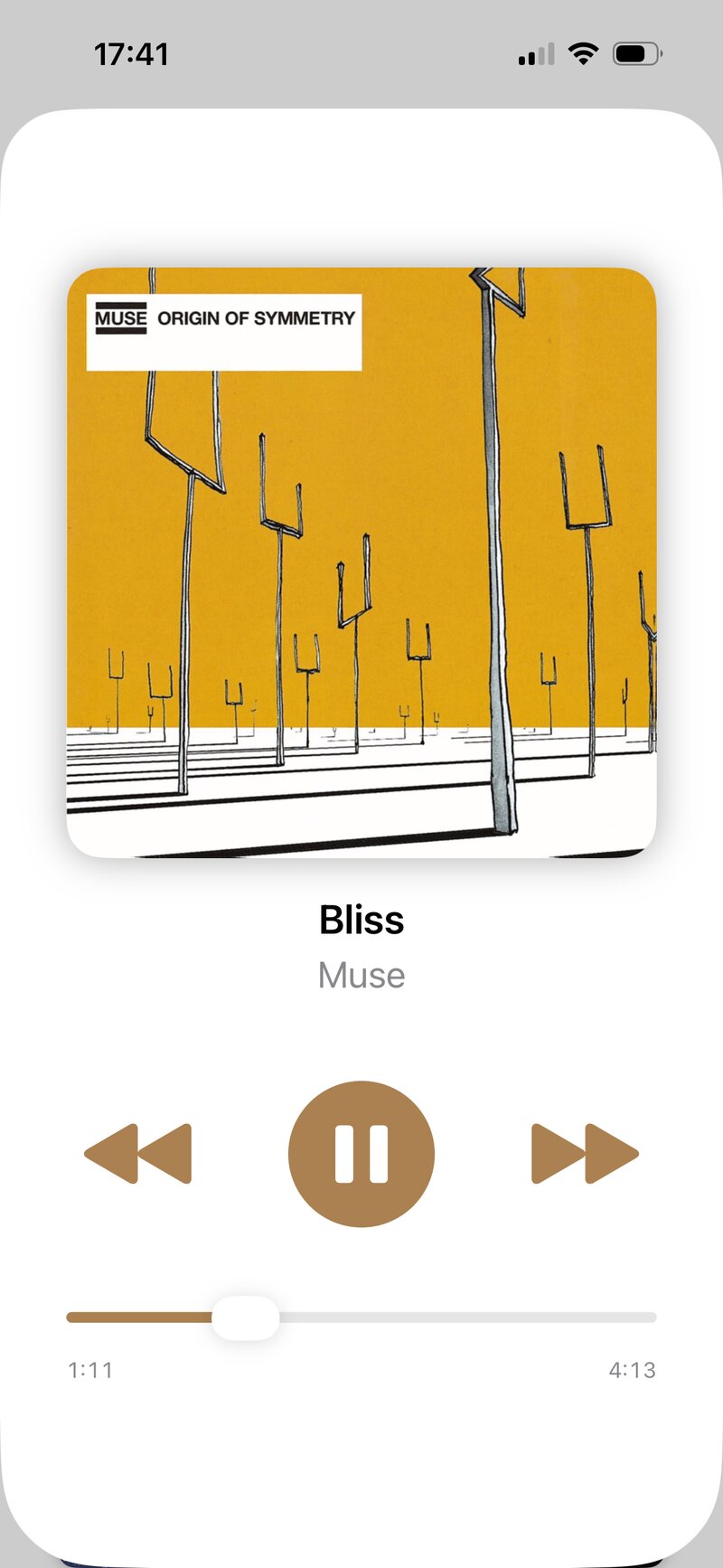
Set up once. Locked for good.
You decide what can be played — your child just taps and listens.
Connect Apple Music
Allow basketweave to use your Apple Music library. Apple handles everything — we never see your login.
Choose the playlists
Pick exactly which playlists appear. Until you do, nothing shows up for your child.
Lock it with a PIN
Set a 6-digit PIN so only you can change the selection. Then hand over the device.
Made for kids. Reassuring for parents.
A few simple ideas, done carefully.
Only what you allow
Your child sees just the playlists you’ve picked. No search, no browsing, no surprises.
A PIN-protected editor
Playlist editing is locked behind a 6-digit PIN. Unlocking needs a press-and-hold, so curious fingers don’t stumble into it.
Albums, not endless lists
Each playlist opens as a grid of album covers — easy for small hands to hit, even before they can read.
A player for little hands
Big artwork, play/pause, previous and next, and a simple slider.
Keeps playing
Music continues with the screen off, with controls on the lock screen or in the notification.
Private by design
No ads, no analytics, no tracking, no accounts. What you set up stays on your device.
A device that’s just for music.
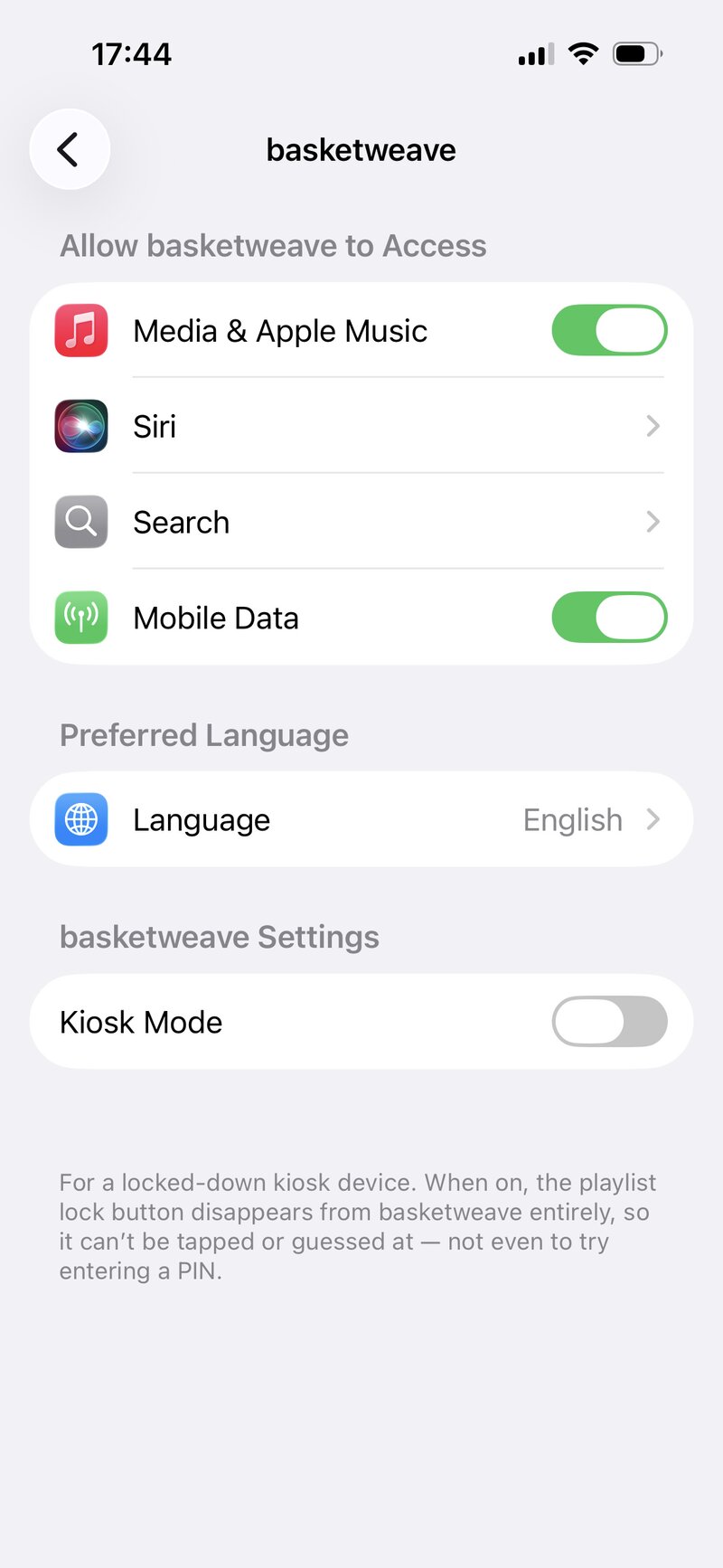
Turn basketweave into a dedicated music player for your child. The app detects Guided Access and Screen Pinning automatically. The lock and edit buttons disappear completely — nothing to tap, guess at, or try a PIN on.
- iPhone & iPad: basketweave detects Guided Access and hides the lock and edit buttons automatically. Need more? Switch on Kiosk Mode in the Settings app, under basketweave, to hide them permanently.
- Android: basketweave notices Screen Pinning and hides the lock and edit buttons automatically.
- Both modes also keep your child inside the app. Leave them and everything is back, with your PIN unchanged.
- For advanced users: on iPhones and iPads managed with MDM, Single App Mode gives the best experience.
Works where you do.
Besides a device, all you need is an Apple Music subscription.
iOS
For iPhone and iPad. Requires iOS 18.6 or later.
- Uses Apple’s MusicKit
- Plays playlists you’ve downloaded in Apple Music even offline
- English and German
Android
Requires Android 10 or later.
- Uses Apple’s MusicKit
- Streaming only — offline playback isn’t available at the moment
- English and German
New to basketweave?
The parents’ guide walks you through setup in about five minutes.
Open the guide